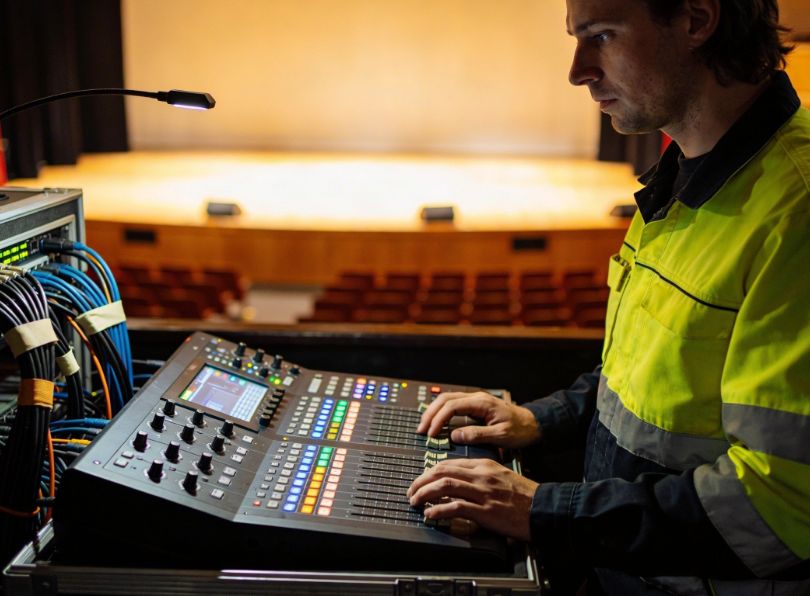
After introducing black profiles for theatrical lighting installations and discussing the various types of lights commonly used, today, in this final article dedicated to this topic, we’ll discuss the mastering stage lighting controllers and consoles that allow you to manage lighting.
Every beam of light on a professional stage, every subtle color shift, every precisely synchronized blackout: it all starts with a single command from a stage lighting controller. Often hidden in the shadows at the back of the theater or tucked away in a technical booth, these devices are the conductors of lighting setups. They translate creative vision into data, and data into lighting.
Whether you’re designing a theatrical performance, programming a rock concert, or installing a permanent architectural lighting system, understanding controllers is essential.
This guide explores every aspect of lighting control, from DMX basics to the latest wireless innovations, from pocket faders to large networked consoles, and answers the most common questions asked by professionals and beginners alike.
In this article…
What is a stage lighting controller?
A stage lighting controller (or lighting console) is the brain of any lighting system. It sends instructions to dimmers, moving lights, LED fixtures, and effects, telling them when to turn on, how bright, which color to display, and where to move.
In modern theaters and concerts, these instructions travel almost exclusively via the DMX512 protocol, the universal language of professional lighting.
But a controller is more than just a signal transmitter: it is the interface between the lighting designer’s artistic vision and the raw power of the lights. From a simple bank of faders in a black-box theater to a massive networked console controlling thousands of fixtures at a festival, the controller shapes the way light tells a story.
Without a controller, lights are simply lamps; with one, they transform into scenery and emotion: the choice of controller defines what can be achieved on stage.
How are stage lights controlled? The DMX backbone
Stage lights are controlled via a digital data stream called DMX512 (Digital Multiplex with 512 channels—the “512” is part of the name). This protocol, developed in 1986 by the USITT (United States Institute for Theatre Technology), has become the universal language of professional lighting, replacing older analog systems and proprietary protocols. Understanding DMX is fundamental to grasping how modern stage lighting controllers function.
The DMX data stream: how information travels
A stage lighting controller generates a continuous stream of digital data. Think of it as a very fast train, where each carriage carries a number between 0 and 255 (256 possible values, or 8 bits). This train leaves the controller 44 times per second—fast enough that any change appears instantaneous to the human eye. The data travels through cables (typically 3-pin or 5-pin XLR, similar to microphone cables but with specific impedance requirements) from one fixture to the next in a daisy chain topology. This means the cable goes from the controller to the first fixture, then from the first fixture to the second, and so on.
Unlike Ethernet networks, DMX is a one-way, broadcast-only system: the controller speaks, and all fixtures listen. There is no acknowledgment or handshaking—fixtures simply obey the last values they received. This simplicity is both a strength (low latency, no negotiation overhead) and a weakness (no feedback unless you use RDM, which we’ll cover later).
DMX addressing: how fixtures know what to listen to
Every fixture in the chain receives the same data stream, so how does a moving light know that channel 42 controls its pan while a dimmer knows that channel 42 controls its intensity? The answer lies in DMX addressing.
Each fixture is assigned a starting address (also called a “DMX address” or “universe channel”). This is typically set via a digital display on the fixture, dip switches on older units, or remotely via RDM. The fixture then “listens” to a contiguous block of channels starting from that address.
Let’s take a concrete example:
- A simple PAR can with only intensity control might use 1 channel (e.g., address 1).
- An RGB LED fixture might use 3 channels: channel 1 = red intensity, channel 2 = green, channel 3 = blue. If you set its starting address to 10, it will interpret channel 10 as red, channel 11 as green, and channel 12 as blue.
- A complex moving head might use 16 channels or more, controlling pan, tilt, pan/tilt speed, color wheel, gobo wheel, gobo rotation, prism, frost, zoom, focus, strobe, dimmer, and various effect parameters.
The controller sends values between 0 and 255 for every channel in its universe. 0 typically means off or minimum, 255 means full on or maximum. For intensity, this gives 256 levels of brightness—more than enough for smooth fades. For pan, 0 might be far left, 255 far right, with the fixture interpolating smoothly between.
DMX universes: the 512-channel limit
A single DMX connection is limited to 512 channels—this is a hard limit baked into the protocol’s timing. This collection of 512 channels is called a DMX universe.
How many fixtures can you fit in one universe? It depends entirely on the fixture’s channel count:
- 50 simple dimmers (1 channel each) = 50 channels, plenty of room.
- 20 RGB LED fixtures (3 channels each) = 60 channels.
- 10 complex moving heads (16 channels each) = 160 channels.
- 5 media servers (40+ channels each) could fill a universe by themselves.
For small theatres and basic setups, one universe is often sufficient. But for concerts, large-scale theatrical productions, or architectural installations, one universe is rarely enough. A rock concert might need 10, 20, or even 50 universes to control thousands of dimmers, hundreds of moving lights, and pixel-mapped LED walls.
Beyond one universe: Ethernet protocols (Art-Net and sACN)
When you need multiple universes, running individual DMX cables for each becomes impractical. Imagine pulling 50 thick, heavy DMX cables from the control booth to the stage—a nightmare of weight, cost, and failure points. This is where Ethernet-based lighting protocols come to the rescue.
Art-Net (developed by Artistic Licence in 1998) and sACN (Streaming ACN, standardized by the ESTA as ANSI E1.31) are protocols that package multiple DMX universes into standard Ethernet data streams. Here’s how they work in practice:
- a lighting console or software generates, say, 12 universes of DMX data;
- instead of 12 separate DMX cables, the console outputs a single Ethernet cable (Cat5e or Cat6) carrying all 12 universes using Art-Net or sACN;
- this Ethernet cable runs to the stage area, where it connects to DMX nodes (also called gateways or decoders);
- each node converts one or more Ethernet universes back into traditional DMX signals, which then feed the fixtures via standard DMX cables.
This approach offers enormous advantages:
- cable reduction: one thin Ethernet cable can carry hundreds of universes;
- distance: Ethernet can run hundreds of meters without signal degradation (unlike DMX, which struggles beyond 300m);
- distribution: nodes can be placed exactly where needed—near the dimmer racks, backstage, or in the lighting truss;
- flexibility: you can easily reconfigure which universe goes to which node without pulling new cables.
RDM: remote device management
A limitation of classic DMX is its one-way nature: the controller sends commands but never knows if they were received or if the fixture has a problem. RDM (Remote Device Management), defined in ANSI E1.20, adds bidirectional communication over standard DMX wiring. With RDM:
- the console can discover all connected fixtures and automatically build a device list.
- you can remotely set DMX addresses, fixture modes, and other configuration parameters from the console—no more climbing ladders to adjust dip switches.
- the console can monitor fixture status: lamp hours, temperature, voltage, and error conditions.
RDM is backward-compatible with DMX (it piggybacks on the same wires) but requires both a console and fixtures that support it. Most modern professional fixtures and consoles include RDM functionality.

Practical example: a medium-sized theatre
Let’s walk through a realistic example of how DMX, addressing, universes, and Ethernet protocols work together in a medium-sized theatre:
- The lighting designer has programmed a show with 24 conventional dimmers (1 channel each), 12 RGB LED PARs (3 channels each, total 36 channels), and 8 moving heads (16 channels each, total 128 channels).
- Total channels needed: 24 + 36 + 128 = 188 channels. This fits comfortably in one DMX universe (maximum 512).
- The controller (perhaps a PC with a SLIM 512 interface) outputs a single DMX universe via a 5-pin XLR cable.
- This cable connects to the first dimmer rack, then daisy-chains to the LED fixtures, and finally to the moving lights. All devices share the same data stream but respond only to their assigned addresses.
A large concert
Now let’s try to examine the context of a concert
- 200 dimmers (200 channels)
- 150 moving heads (average 20 channels each = 3000 channels)
- 100 LED wash fixtures (5 channels each = 500 channels)
- pixel-mapped LED floor (requiring 10 universes)
- total: well over 4000 channels, requiring 8+ universes.
- the console outputs Art-Net over Ethernet to a network switch backstage.
- from the switch, DMX nodes convert each universe back to DMX for specific fixture groups: one node for dimmers, three nodes for moving heads (distributed around the rig), one node for LED washes, and two nodes for the LED floor.
- each node outputs standard DMX to its respective fixtures, which are daisy-chained in manageable groups.
Wireless DMX: cutting the cable
Sometimes running cables is impossible or impractical—think of a moving scenic element that rotates during the show, a truss that needs to fly in and out repeatedly, a historic building where drilling is forbidden, or a temporary outdoor event where cables would create tripping hazards. In these situations, wireless DMX systems become not just convenient, but essential.
How wireless DMX works
Wireless DMX systems transmit the same digital data stream used by wired DMX over radio frequencies. They consist of two main components:
- transmitter: connected to the lighting console via a standard DMX cable. It takes the incoming DMX signal, converts it into a radio signal, and broadcasts it;
- Receiver(s): connected to fixtures (or groups of fixtures) via DMX cables. They receive the radio signal, convert it back to standard DMX, and feed it to the fixtures.
Most systems operate in license-free ISM bands (Industrial, Scientific, and Medical), typically 2.4 GHz or 5.8 GHz—the same frequencies used by Wi-Fi. However, professional wireless DMX systems are designed to coexist with Wi-Fi networks, using adaptive frequency hopping and error correction to maintain signal integrity even in crowded RF environments.
Major wireless DMX technologies
W-DMX
Developed by Wireless Solution Sweden, W-DMX is one of the oldest and most widely adopted standards. It offers multiple generations (G3, G4, G5) with increasing reliability, range, and features. W-DMX supports adaptive frequency hopping, 128-bit AES encryption for secure transmission, and can handle multiple universes simultaneously. Range can exceed 500 meters line-of-sight.
CRMX
Created by LumenRadio, CRMX (Cognitive Radio Multiplex) is known for its exceptional reliability in challenging RF environments. It uses cognitive co-existence technology that actively scans the spectrum and avoids interference. CRMX modules are found in many professional fixtures as built-in options. The protocol supports up to four universes and offers sub-5ms latency, imperceptible to the human eye.
LumenRadio
Beyond CRMX, LumenRadio offers a full ecosystem of wireless DMX products, including the UltraLight series (pocket-sized transmitters/receivers) and TimoTwo (rack-mounted units). Their technology is certified for use in broadcasting and live events worldwide.
City Theatrical SHoW DMX
A popular choice in North America, SHoW DMX (Synchronized Hopping of Wireless DMX) operates in the 2.4 GHz band and offers multiple modes for different applications, from high-density fixture control to long-range transmission.
Key features of modern wireless DMX
On stage lighting control today some DMX have new features such as:
- frequency hopping: instead of staying on one channel the system rapidly jumps between frequencies according to a synchronized pattern. This avoids interference and makes the signal extremely difficult to jam;
- redundancy: many professional systems offer dual-slot receivers that can accept signals from two transmitters simultaneously. If one transmitter fails or its signal is blocked, the other takes over seamlessly;
- low latency: high-end wireless DMX systems achieve latency under 5 milliseconds—far below the threshold of human perception (which is around 20-30ms for lighting changes). This makes them suitable for time-critical applications like live concerts and theatre;
- range: Depending on the system and environment, range can vary from 100 meters indoors to over 1000 meters in open air with clear line-of-sight. Some systems offer directional antennas to extend range fburther;
- bidirectional communication (RDM over wireless): advanced wireless systems can also transmit RDM data, allowing remote monitoring and configuration of fixtures over the air;
- multi-universe support: modern wireless transmitters can handle multiple DMX universes simultaneously, sending all data over a single radio link.
When to use wireless DMX
Wireless DMX is not a replacement for wired DMX in every situation wired connections are still more reliable, cheaper per connection, and require no batteries or power. However, wireless excels in specific scenarios:
- moving scenery or effects: rotating stages, flying trusses, scenic wagons—any element that moves during the show;
- historic venues: theatres where drilling for cable runs is prohibited or would damage heritage fabric;
- temporary events: outdoor festivals, corporate events in rented spaces, pop-up installations where cable runs would be time-consuming and hazardous;
- quick changeovers: when multiple acts share a stage and need to reconfigure lighting rapidly;
- camera and broadcast: wireless DMX is often used to control lights on camera cranes, dollies, or Steadicam rigs where cables would interfere with movement;
- architectural retrofits: adding lighting control to existing buildings without running new cables through walls and ceilings.
Practical considerations and best practices
There a some consideration to have on wireless lighting control:
- always have a backup: even the best wireless system can encounter interference. Professional users always have a wired backup plan or redundant wireless paths;
- spectrum analysis: before a major event, use a spectrum analyzer to identify the cleanest frequencies and avoid known interference sources (nearby Wi-Fi networks, microwave ovens, etc.);
- antenna placement: position antennas for clear line-of-sight. Avoid mounting them near metal structures, which can block signals;
- latency testing: for time-critical shows, test the entire wireless chain to ensure latency is acceptable—especially if using multiple wireless hops;
- battery management: if receivers are battery-powered, ensure sufficient capacity for the entire show and have spares ready.
Case study: wireless DMX in a large-scale concert
Consider a stadium concert with a B-stage located in the middle of the audience, far from the main stage. Running DMX cables across the floor would be dangerous and unsightly. Instead, a wireless DMX transmitter at the main console sends data to a receiver on the B-stage. That receiver feeds a small DMX splitter, which then controls moving lights, LED washes, and strobes on the B-stage. The system uses frequency hopping and redundant transmission to ensure that even with 60,000 mobile phones in the audience, the lights respond flawlessly.
Limitations
- Interference: despite adaptive hopping, wireless DMX can still be affected by strong RF interference from other devices;
- Range limitations: obstacles like concrete walls, metal structures, or crowds can reduce effective range;
- Latency: while modern systems are very fast, extremely time-critical applications (like video synchronization) may still prefer wired;
- Cost: professional wireless DMX systems are significantly more expensive than cables and connectors;
- Power requirements: receivers need power, which may not be readily available in all locations (battery operation solves this but adds complexity).
Key takeaways
- DMX512 is the foundation: 512 channels per universe, daisy-chain topology, 44 updates per second;
- addressing determines which fixture listens to which channels, each fixture occupies a contiguous block starting from its assigned address;
- universes solve the 512-channel limit—large shows need multiple universes, managed via Ethernet protocols;
- Art-Net and sACN transport many universes over Ethernet, reducing cable bulk and enabling flexible distribution with DMX nodes;
- RDM adds two-way communication for remote configuration and monitoring, essential for large rigs;
- wireless DMX offers freedom where cables can’t go, with modern systems providing reliability, low latency, and advanced features like frequency hopping and redundancy.
Understanding this backbone is essential for anyone working with stage lighting controllers, whether you’re programming a small black-box theatre or managing a sprawling festival main stage. The principles are the same; only the scale changes.
Control DMX from a computer
Using a computer with DMX software is one of the most flexible and affordable ways to become a lighting controller. You need three things: a laptop/PC, lighting software, and a DMX interface (a USB-to-DMX box) to convert the computer’s USB signal into the RS-485 voltage that fixtures understand.
Software options range from free/open-source (like QLC+ or DMXControl) to professional-grade (like Chamsys MagicQ, grandMA onPC, ETC Eos Family, or Hog 4 PC). These programs offer powerful features:
- control multiple universes (limited only by your interface and computer power);
- store thousands of cues, palettes, and effects;
- integrate with timecode (MIDI, SMPTE, or Art-Net timecode) for synchronization with audio or video;
- respond to sound input for music-driven lighting;
- offer 3D visualizers to pre-program shows offline;
- support external control surfaces (fader wings, touchscreens, MIDI controllers).
Software-based systems are ideal for budget-conscious productions, educational settings, and designers who want to program offline before bringing their show to the venue.
Use laptop as a DMX controller
A laptop becomes a powerful DMX controller when paired with the right software and a hardware DMX interface (like the SLIM 512 / 1024 interfaces mentioned in the hardware section). These interfaces connect via USB (or Ethernet, for higher-end models) and output standard DMX through 3-pin or 5-pin XLR ports.
Advanced interfaces offer additional capabilities:
- internal memory: some interfaces (like the SLIM series) can store shows internally and run in standalone mode—no computer needed during the performance. You program the show on your laptop, transfer it to the interface, and then disconnect;
- multiple universes: high-end USB-to-DMX interfaces can output 2, 4, or even more universes from a single USB port;
- 16-bit resolution: for ultra-smooth fades and precise movement control;
- RDM support: some interfaces allow bidirectional communication for fixture discovery and configuration.
Professional software like Chamsys MagicQ or ETC Eos Family offer free versions for programming offline: you only need to purchase hardware when you go live. This makes laptop-based control extremely accessible for learning and small productions.
Control DMX lights with a phone
It’s possible use DMX also with a smartphone or with a table, several options exist:
- WiFi-to-DMX bridges: devices like the ADJ 4 Stream DMX Bridge, Chauvet WELL CONNECT, or Showtec WiFi-DMX connect to your existing Wi-Fi network and output DMX. You control them via dedicated apps (iOS/Android) that let you select colors, control dimmers, trigger scenes, and even use sound-activated modes;
- Bluetooth DMX adapters: some manufacturers offer pocket-sized Bluetooth-to-DMX dongles that work with simple apps—ideal for quick setups, DJs, or small events;
- Art-Net/sACN apps: advanced apps can send Art-Net or sACN over Wi-Fi to nodes on the network, allowing full professional control from a tablet;
- MIDI/OSC apps: apps that send MIDI or OSC can control lighting software running on a PC, which then outputs DMX.
As detailed above, software + interface is the standard. Additionally, some consoles offer remote apps that let you adjust levels or trigger cues from a tablet while the main console remains operational.
Some systems also allow control via MIDI or OSC, integrating lighting with musical instruments, digital audio workstations, or interactive installations. For example, a keyboard player could trigger lighting cues by playing specific notes.
Use DMX lights without a controller?
Technically, some fixtures can operate without a DMX controller in standalone modes:
- sound-active mode: the fixture reacts to ambient music via a built-in microphone, changing color, intensity, or movement to the beat;
- master/slave mode: one fixture is designated as the “master” and generates its own internal program; other fixtures (slaves) copy its behavior. This allows synchronized shows without a console;
- built-in programs: many LED fixtures and moving heads have pre-programmed auto-shows that cycle through colors and effects.
However, for any serious design where you need specific looks, precise timing, repeatable cues, or synchronization with other show elements, it is absolutely necessary a DMX controller. Without it:
- it is not possible address individual fixtures separately (all slaves act identically);
- it is not possible create custom scenes or change them during the performance;
- it is not possible time changes to the action on stage;
- it is not possible integrate lighting with sound, video, or automation.
Even a basic DMX console with a few faders is infinitely more powerful than no controller. For professional results, a DMX controller (hardware or software) is non-negotiable.
Types of stage lighting controllers
The market offers a spectrum of control solutions, from pocket-sized fader wings to massive networked consoles. Choosing the right one depends on your venue size, show complexity, and budget. Below we break down the main categories, integrating both general knowledge and the specific devices you provided.
| Controller type | Typical users | Key features | Examples / Hardware |
|---|---|---|---|
| Basic DMX consoles | Small theatres, mobile DJs, schools | 1 universe, simple faders, scene memory, affordable | DMX512AJ6 (6-channel mini fader) |
| Advanced consoles | Large theatres, touring shows | Multiple universes, motorized faders, touchscreens, effects engines | ETC Eos, grandMA, Hog |
| Software-based | Budget-conscious, tech-savvy, education | Computer + USB interface, unlimited cues, pre-visualization | DMXControl, MagicQ PC, SLIM interfaces |
| Wireless / App-based | Events, temporary setups, architectural | Control via phone/tablet, battery-powered, Bluetooth/WiFi | WT-DMX-M Master, WELL CONNECT |
| Wall-mounted panels | Fixed installations, architectural | Glass touch panels, zone control, preset scenes | T11-T15 Series Touch Panels |

Controller hardware in the wild: solutions for every scale
Based on real-world requirements, here is how specific controllers and accessories fit into small, medium, and large productions. These devices exemplify the principles discussed above.
Small theatres, temporary rigs, and testing
Between stage lighting controllers for small theatre we can find some Skydance products, let’s see which ones
DMX512AJ6
DM-WT / DM-WR
Wireless freedom DM-WT / DM-WR wireless transmitter/receiver: eliminate cable runs in small spaces or on temporary stages. These units transmit DMX reliably up to 400 meters, using license-free frequencies. The transmitter connects to your console; the receiver(s) connect to fixtures. A quick solution for rented halls, outdoor events, or any place where cabling is impractical.
D1-L / D1C-E
Single fixture controlD1-L / D1C-E monochannel decoders: when you need to integrate a single LED fixture or tape into a DMX network, these compact decoders do the job. They convert DMX data into PWM output for one color/zone. Perfect for accent lights or small additions to a rig.
Medium theatres, professional stages, and zoned control
Medium theatres require other type of controllers, able to manage separate zones.
T11-T15
D12 / D24
Multi-channel processingD12 / D24 multi-channel decoders: for controlling led fixtures or tape with multiple colors, these DIN-rail mountable decoders offer 12 or 24 channels of high-frequency PWM output (up to 32KHz, eliminating video flicker). They feature digital addressing and are the backbone of many medium-sized LED installations.
DA / DA-L
Large theatres, concerts, and live shows
In large contest it’s necessary use advanced controllers and console. There are different product to interface light with other devices.
SLIM 512 / 1024
DMA 6-Way
WT-DMX-M
D24B
Console components and user interface
Whether physical or virtual, all lighting controllers share a common goal: to translate the designer’s intent into precise control signals as quickly and intuitively as possible. The user interface—the physical or on-screen controls that the operator touches, pushes, and watches, is the critical link between human creativity and machine execution. Understanding these components is essential for anyone who wants to program lights efficiently, whether on a tiny 6-channel fader board or a stadium-sized grandMA console.
Faders
Faders (also called sliders or potentiometers) are the most recognizable element of any lighting console. They provide intuitive and practical control over intensity levels. When you raise a fader, the lights increase in intensity, while when you lower it, they dim. This direct analog relationship between physical position and light level is why faders have survived for over a century.
Faders come in several varieties:
- standard faders: manual, non-motorized. What you see is what you get, the fader position always matches the current intensity;
- motorized faders: found on high-end consoles, these move automatically to preset positions when you change pages or recall cues. They provide instant tactile feedback and prevent the “fader jump” problem when you touch a fader that doesn’t match the current level;
- submaster faders: dedicated faders that control groups of lights (e.g., “all front light,” “all blue washes”). Each submaster can store a preset look, and the fader allows crossfading that look in and out manually;
- playback faders: used to run cue sequences. Pushing up starts the fade; pulling down stops or reverses it.
The number of faders varies wildly: a basic console might have 6 or 12, while a large-format console can have 30 or more motorized faders, often arranged in banks that can be paged through to control hundreds of channels.
Buttons
Buttons are everywhere on a lighting console. They are used for recording cues, selecting fixtures, toggling between modes, and triggering actions. Key button types include:
- channel selection buttons: usually numbered 0-9 and arranged like a telephone keypad, used to type in channel numbers or addresses;
- record and store buttons: to save the current look as a cue or preset;
- go button: the most important button during a live show—press it to advance to the next cue. Usually large, backlit, and positioned for easy access;
- pause/back buttons: to hold the current cue or go back to a previous one;
- function keys: often customizable, allowing operators to assign frequently used actions to specific buttons;
- blind/preview buttons: to program cues without affecting the live stage (essential for busking and last-minute changes).
High-end consoles use backlit, color-coded buttons with customizable labels (often on adjacent LCD screens) so the operator always knows what each button does in the current context.
Encoders
Encoders (rotary controls, often called “wheels” or “knobs”) are used to adjust continuous parameters like pan, tilt, focus, zoom, color mixing, or effect speed. Unlike faders, which are typically one-to-one with intensity, encoders are usually parameter-focused: you select a fixture or group, then turn encoders to adjust its attributes.
Modern consoles feature:
- high-resolution encoders: 16-bit or even 32-bit resolution for ultra-smooth movement and fine adjustment (essential for precise focus or slow pans);
- touch-sensitive encoders: some high-end consoles have encoders that respond to touch, automatically displaying the current parameter value on screen when you touch the wheel;
- endless encoders: they can spin continuously without physical stops, ideal for parameters like color mixing where you might need to cycle through values repeatedly;
- detented vs. smooth: some encoders have click-stops (detents) for discrete steps; others are smooth for continuous adjustment.
A typical moving light might have pan and tilt assigned to two encoders, with a third encoder for color, a fourth for gobo selection, and so on. The console’s display shows what each encoder currently controls.
Displays
Displays are the windows into the console’s brain. They show channel levels, cue lists, fixture parameters, system status, and much more. Modern consoles use a combination of:
- main touchscreens: large, high-resolution displays (often 15-24 inches) that serve as the primary interface for programming and visualization. Operators can touch fixture tiles, drag faders on screen, and navigate menus;
- secondary displays: many consoles support external monitors (via HDMI or DisplayPort) for expanded workspace—one screen for the programmer, another for the operator, or one for 3D visualization;
- command-line feedback screens: small displays near the keypad that show the current command being typed (e.g., “Channel 1 @ 50%”);
- button label displays: on high-end consoles, each button has an adjacent LCD or OLED screen that shows its current function, changing dynamically with the console’s mode;
- encoder displays: small screens above or below encoders that show what parameter each wheel controls and its current value.
The quality of the display interface intuitive menu structure, responsive touch, clear typography can dramatically affect programming speed and accuracy.
Advanced interface elements
Motorized faders
Motorized faders are a hallmark of professional consoles. When you switch between pages (e.g., from controlling dimmers to controlling moving lights), the faders physically move to match the stored levels. This provides instant tactile feedback and prevents the dangerous situation where you touch a fader expecting one level and get another. In playback mode, motorized faders can show the current intensity of each cue, moving in real-time as the cue fades in or out. Consoles like the grandMA3, ETC Eos, and Hog 4 feature high-quality motorized faders with smooth, quiet operation and precise positioning.
Touchscreens
Modern consoles have embraced touchscreens as primary interfaces. A large multi-touch display allows direct manipulation of fixture tiles, color pickers, and effect parameters. You can swipe through cue lists, pinch to zoom on a 3D visualizer, or drag gobos onto fixtures. Touchscreens excel at tasks that are cumbersome with physical controls alone, such as selecting colors from a gradient map or drawing custom movement paths. Some consoles (like the Chamsys QuickQ series) are almost entirely touch-driven, while others (like the ETC Eos) use touch to complement physical faders and buttons.
Customizable macro keys
Macro keys (or “user-assignable buttons”) allow operators to record sequences of commands and trigger them with a single press. For example, a single macro could: select all moving lights, set them to a deep blue, send them to a specific position, and start a slow color fade, all with one button. Macros are essential for busking (live, improvisational lighting) where speed is everything. High-end consoles have dozens of macro keys, often with LCD labels that show their current function.
External control surfaces
For software-based controllers, external control surfaces (also called wings or fader boards) provide tactile control. These connect via USB or Ethernet and offer physical faders, buttons, and encoders that map to the software’s functions. Examples include the Chamsys MIDI Wing, ETC Nomad, and various third-party MIDI controllers like the Behringer X-Touch or Elgato Stream Deck (which can be programmed for lighting shortcuts). This hybrid approach gives you the power of software with the hands-on feel of hardware.
Workflow and layout
The physical arrangement of controls is critical for efficient operation. Consoles are typically designed around a few key workflow principles:
- theatrical workflow: emphasis on cue lists and submasters. Faders are often grouped by purpose (front light, backlight, side light) and arranged left to right corresponding to stage positions. The “Go” button is prominent, and playback controls are central;
- concert/busking workflow: emphasis on direct access to fixture groups and effects. Encoders are front and center for tweaking moving lights. Macro keys and playback faders are arranged for quick access. Touchscreens show color pickers and effect palettes;
- hybrid workflow: many modern consoles (like the grandMA3) can switch between modes or be customized by the operator.
Virtual consoles:
Software controllers (like Chamsys MagicQ, grandMA onPC, ETC Eos Family, or QLC+) replicate hardware interfaces on a computer screen. They offer:
- on-screen faders and buttons: clickable with a mouse or touchscreen;
- customizable layouts: you can arrange virtual faders, buttons, and displays to match your preferred workflow;
- window management: multiple windows can show different views (cue list, fixture sheet, 3D visualizer) simultaneously, often across multiple monitors;
- external hardware integration: as mentioned, software can be paired with physical wings or MIDI controllers for tactile feedback.
Software interfaces also enable features impossible on pure hardware, like unlimited undo history, detailed show file backups, and integration with visualizers for offline programming.
Examples of real-world console interfaces
| Console family | Key interface features | Typical applications |
|---|---|---|
| ETC Eos (Ti, Gio, Ion) | Motorized faders, dual touchscreens, dedicated keypad, “Smart” motorized faders that show cue levels, extensive macro support. | Theatre, musicals, opera, corporate events |
| grandMA3 (MA Lighting) | Fully customizable interface, high-res encoders, multiple touchscreens, motorized faders with LCD scribble strips, intuitive color picker. | Concerts, festivals, large-scale events, television |
| Hog 4 (High End Systems) | Playback wing with motorized faders, touchscreen with “Playback View,” encoder bank, “ButtONE” programming keys. | Touring, rock concerts, busking |
| Chamsys MagicQ (MQ series) | Modular design, touchscreens with customizable “workspaces,” extensive MIDI/OSC integration, affordable hardware options. | Small to medium venues, educational, busking |
| AVOLITES Quartz / Tiger Touch | Distinctive “handle” design, encoder wheels with haptic feedback, “Shapes” for effects, intuitive for busking. | Concert touring, clubs, live events |
Stage lighting controllers: quick and intuitive access
Regardless of the specific components, the ultimate goal of any lighting controller interface is the same: to let the operator translate creative intent into light quickly, accurately, and without distraction. A well-designed interface becomes an extension of the operator’s hands, they don’t think about which button to press; they just press it. This is why experienced lighting programmers are deeply particular about console choice: the feel of the faders, the responsiveness of the encoders, the layout of the buttons, and the clarity of the display all affect their ability to deliver a great show under pressure.
As technology evolves, interfaces continue to improve: haptic feedback, voice control, gesture recognition, and AI-assisted programming are on the horizon. But the fundamental components (faders, buttons, encoders, displays) will likely remain, because they work.
Core functionalities: programming, cues, and effects
Modern controllers are built around the concept of cue stacks — lists of lighting states that can be triggered in sequence. You can program a “look” (e.g., deep blue wash with a tight spot on center stage), save it as cue 1, then program cue 2, and so on. During the show, the operator fires cues as the action progresses. Advanced consoles also feature effects engines (for automated movement or color chases), palettes (to store favorite colors or positions), and timecode synchronization for tightly scripted productions. Controllers handle multiple fixtures as groups or individually, and can store thousands of cues.
Communication protocols: DMX, Art-Net, sACN, RDM
The language of stage lighting controllers has evolved. Here’s what you need to know:
- DMX512: the foundational standard. 512 channels per universe, daisy-chain wiring, 3- or 5-pin XLR cables. Maximum reliable length ~300m;
- Art-Net & sACN (E1.31): protocols that send DMX data over Ethernet networks. They allow multiple universes to travel over a single cable, ideal for large venues and distributed systems. sACN is a newer standard with better multicast management;
- RDM (Remote Device Management): two-way communication over DMX lines. Consoles can discover fixtures, set addresses, and monitor status (temperature, errors) remotely — a huge time-saver in large rigs;
- Wireless DMX (W-DMX / CRMX): proprietary but widely adopted standards for sending DMX via radio. Reliable for events where cables are impractical;
Modern systems often use a hybrid: Ethernet backbone with Art-Net/sACN, converting to DMX at the fixture clusters via nodes or splitters.
Stage lighting controller from theatres to concerts
Lighting controllers are not one-size-fits-all. The demands of a Broadway musical, a stadium rock concert, a corporate product launch, and a permanent architectural installation are fundamentally different. Each context shapes the choice of console, the programming workflow, the operator’s skill set, and even the physical interface. Understanding these differences is essential for anyone specifying, operating, or designing lighting control systems. Below, we explore the four primary application domains, theatre, concerts, corporate events, and architectural installations, in depth.
Theatre & performing arts
- Emphasis: cueing precision, subtle fades, actor spotlighting, dramatic atmosphere;
- Workflow: cue-by-cue programming, often weeks of rehearsal. Cue lists can contain hundreds of entries with precise fade times (e.g., “3.2 seconds”);
- Key features: submasters for manual control, proportional mastering, “sneak” fades, color palettes, focus palettes, and extensive tracking capabilities;
- Fixture types: conventional dimmers (still widely used), ERS spotlights, Fresnels, PARs, moving lights used sparingly for effects;
- Operator profile: often called “board operator” or “lighting programmer,” works closely with lighting designer during tech rehearsals, then runs the show nightly;
- Console dominance: the ETC Eos family (Ion, Gio, Ti) is the undisputed standard in professional theatre worldwide, known for its intuitive cue management and theatrical feature set. grandMA is also used in larger musicals and opera;
- Unique challenges: Cue timing must match actor movement and music; blackouts must be absolute; front light must be flattering to actors; color temperature consistency across fixtures is critical.
Concerts & live Music
- Emphasis: high-energy, effects-driven, synchronization with music, visual impact.
- Workflow: often “busking”—live improvisation where the operator triggers looks and effects in real-time, reacting to the music and crowd. Alternatively, timecode-synchronized shows for exact playback.
- Key features: effect engines (for automated movement, color chases, strobes), pixel mapping, extensive macro programming, speed masters, and high-resolution encoders for fine control of moving lights.
- Fixture types: moving heads (spot, wash, beam), LED washes, strobes, blinders, pixel-mapped LED walls, lasers, and hazers.
- Operator profile: called “lighting director” or “LD,” often travels with the artist, must think fast and adapt to the energy of the performance.
- Console dominance: grandMA (MA Lighting) is the most common high-end concert console, prized for its flexibility and effects. Hog (High End Systems) has a long history in touring. Chamsys is popular for its price/performance and powerful software. AVOLITES is favored by many rock LD’s for its hands-on busking workflow.
- Unique challenges: massive channel counts (hundreds of moving lights), multiple DMX universes (often 20+), integration with video and media servers, reliability in harsh touring environments, and the need for instant backup solutions.
Corporate events
- Emphasis: reliability, simplicity, preset-based operation, often run by non-specialists.
- Workflow: pre-programmed scenes and cues triggered by event staff, often via wireless tablets (iPad/Android) rather than a full console. Less improvisation, more repeatability.
- Key features: intuitive interfaces, scene recall, zone control, integration with presentation systems, and often remote access for last-minute adjustments.
- Fixture types: led washes, spotlights for speakers, gobo projectors for logos, and basic moving lights for atmosphere.
- Operator profile: may be a dedicated lighting tech, but often an AV technician or event producer with basic lighting knowledge.
- Console dominance: smaller setups use software-based controllers (ETC Nomad, Chamsys MagicQ, Martin M-PC) with USB-to-DMX interfaces. Larger events may use full consoles, but often with simplified access. Wireless tablet control (via apps like ETC Gadget or Chamsys iControl) is increasingly common, allowing event staff to trigger presets from anywhere in the room.
- Unique challenges: quick changeovers between sessions, integration with audio-visual presentation systems, and the need for “idiot-proof” interfaces so non-technical speakers don’t accidentally disrupt the lighting.
Architectural & installations
- Emphasis: permanence, automation, integration with building systems (HVAC, security), energy efficiency.
- Workflow: set-and-forget. Once programmed, the system runs automatically via timeclock, sunrise/sunset sensors, or occupancy detectors. Manual override via wall panels or apps when needed.
- Key features: astronomical timeclocks (adjusting for seasonal sunrise/sunset), scene presets (e.g., “daytime,” “evening,” “party mode”), integration with KNX, DALI, or BACnet building automation protocols. Often uses DMX decoders mounted in electrical rooms.
- Fixture types: led tape, architectural recessed fixtures, facade washers, in-ground uplights, color-changing cove lights.
- Operator profile: not an operator at all—the system is designed for end-users (building managers, homeowners, staff) who may have no technical lighting knowledge.
- Console dominance: there is no “console” in the traditional sense. Instead, control is handled by rack-mounted DMX processors (e.g., ETC Unison, Pathway, Lutron), wall-mounted touch panels (like the T11-T15 series mentioned earlier), timeclock controllers, and building management system interfaces. Programming is done via software on a laptop, then uploaded to the controller.
- Unique challenges: long-term reliability (fixtures and controllers must last for years), weatherproofing for exterior installations, compliance with electrical codes, and user interfaces simple enough for anyone to use.
Controller comparison tables by application
| Aspect | Theatre | Concerts | Corporate events | Architectural |
|---|---|---|---|---|
| Primary control style | Pre-programmed cues, manual fades | Live busking + timecode | Preset scenes, tablet control | Automated (time/triggers) |
| Operator skill level | Specialized programmer | Expert lighting director | AV technician / non-specialist | None (end-user only) |
| Typical channel count | 100-500 | 500-5000+ | 50-300 | 20-500 |
| Key hardware | Full-featured console (ETC) | Powerful console (grandMA, Hog) | Software + tablet + interface | Wall panels, timeclocks, decoders |
| Programming time | Weeks (rehearsal) | Days (pre-production) | Hours (setup) | Days (installation), then permanent |
| Fixture focus | Conventional + some moving lights | Moving lights, LEDs, strobes | LED washes, spotlights | Architectural LED, cove lights |
| Integration needs | Sound cues, automation | Video, media servers, timecode | Presentation systems, AV | Building automation, sensors |
Real-world scenarios: controllers in action
Scenario 1: Broadway musical
A ETC Eos Ti console sits in the booth, controlling over 800 dimmers and 150 moving lights. The show uses 1,200+ cues, each with precise fade times (some as long as 8 minutes, others as short as 0.5 seconds). The operator advances cues manually via the “Go” button, following the conductor’s tempo. Submasters allow manual override for emergencies. The console also communicates with the sound console via MIDI to ensure lighting changes align with music cues.
Scenario 2: stadium rock tour
A grandMA3 full-size console, backed up by a second console for redundancy, controls 600+ moving lights, 200 strobes, and a massive pixel-mapped LED stage. The show is programmed with timecode synced to the backing tracks every lighting change is locked to the music. The lighting director also has a fader wing for live busking during improvisational moments. The system uses 30 DMX universes distributed via Art-Net over fiber optic to nodes around the stage.
Scenario 3: corporate product launch (Apple-style event)
A laptop running ETC Nomad with a tiny USB-to-DMX interface controls 50 LED fixtures highlighting the stage and product displays. The event producer triggers scenes from an iPad using a wireless DMX bridge. Scenes include “Presenter intro” (bright front light), “Product reveal” (dramatic backlight), and “Q&A” (even audience wash). No dedicated lighting operator is needed, the producer simply taps the iPad as the event runs.
Scenario 4: museum installation
A rack-mounted DMX processor with astronomical timeclock controls 120 LED fixtures illuminating artwork. During the day, lights are at 70% with a warm white (2700K). At sunset, they gradually fade to 30% with accent lights highlighting specific pieces. The system also integrates with occupancy sensors—when visitors enter a gallery, lights gently rise to 50% over 30 seconds. The museum curator can override scenes via a wall-mounted touch panel (T11 series) to accommodate special events.
Hybrid applications
While the categories above are useful, many real-world applications blend elements from multiple domains:
- theatrical concerts: shows like Harry Potter in Concert or Les Misérables concert versions combine theatrical cueing with concert-style effects and moving lights;
- corporate theatre: large-scale product launches often use theatrical rigging and cueing alongside concert-style energy;
- architectural entertainment: building facades are increasingly used as canvas for temporary light art during festivals, requiring temporary concert-style control over permanent installations;
- houses of worship: modern megachurches combine theatrical lighting for sermons, concert lighting for worship music, and architectural control for day-to-day operation, all from the same system.
In these hybrid scenarios, the choice of controller becomes even more critical. A console like the grandMA3 or ETC Eos with its ability to handle both precise cueing and powerful effects is often the solution, programmed by a designer who understands multiple disciplines.

Future trends: AI, wireless, and cloud
The world of stage lighting control is evolving faster than ever. What was science fiction a decade ago, AI that assists in programming, cloud-connected lighting rigs, wireless fixtures that never drop a signal—is now becoming reality. These innovations are not just incremental improvements; they fundamentally change how designers work, how systems are installed, and what’s possible on stage. Below, we explore the major trends shaping the next generation of stage lighting controllers and the ecosystems they command.
AI-assisted programming
Artificial intelligence is beginning to penetrate lighting control, not as a replacement for human creativity, but as a powerful assistant that accelerates workflows and suggests possibilities the designer might not have considered.
Current applications
- Auto-patching and addressing: AI can analyze a rig, read fixture personalities via RDM, and automatically patch them into the console with correct addresses and modes—saving hours of manual data entry.
- Intelligent palettes: some consoles now suggest color palettes based on the mood of the scene or the colors already in use, learning from the designer’s preferences.
- Effect generation: AI can generate complex effect sequences (e.g., “slow rainbow sweep across all fixtures”) from simple natural language prompts. Experimental systems like ChatGPT for lighting are being explored to interpret commands like “create a dramatic thunderstorm effect.”
- Predictive programming: by analyzing rehearsal data, AI can suggest where cues might be needed and even pre-program rough looks for the designer to refine.
- Automated troubleshooting: AI monitors the system for anomalies (e.g., a fixture not responding, unusual power draw) and suggests solutions or automatically reroutes control.
Emerging examples
ETC’s “Augment3d” already uses machine learning to streamline visualizer alignment. MA Lighting’s “grandMA3” has a powerful macro system that approaches AI-like automation. Startups are developing plugins for popular consoles that use large language models to interpret designer intent. Natural language processing machine learning predictive analytics
Cloud-based management
The cloud is transforming how lighting systems are monitored, managed, and updated, especially for permanent installations and touring productions.
Key developments
- Remote monitoring: cloud platforms allow technicians to monitor the status of lighting systems anywhere in the world. A venue in London can have its rig overseen by a specialist in New York. Alerts (fixture failure, lamp hours exceeded) are sent via email or SMS.
- Centralized show file storage: touring shows can store all show files in the cloud, accessible from any console on the tour. Version control ensures everyone uses the latest file.
- Over-the-air updates: fixture firmware and console software can be updated remotely, saving hours of on-site work.
- Asset management: cloud databases track every fixture’s serial number, lamp hours, maintenance history, and location—invaluable for rental houses and large venues.
- Collaborative programming: multiple programmers can work on the same show file simultaneously from different locations, with changes merged in the cloud.
Real-world platforms
ETC’s “Nomad” and “Eos Family” integrate with cloud services for file sharing. Pathway’s “Connect” offers cloud monitoring of DMX networks. LumenRadio’s “CRMX Cloud” allows remote management of wireless DMX systems. Third-party platforms like “Lighting Director” and “RigWatch” provide cloud-based asset tracking and monitoring.
IoT remote management SaaS
The dream of a completely cable-free stage is approaching reality. Wireless DMX and battery-powered fixtures have matured significantly, offering reliability that rivals wired connections.
Advances in wireless DMX
- Cognitive co-existence: modern systems (like LumenRadio CRMX) actively scan the RF spectrum and hop to clear frequencies in real-time, avoiding Wi-Fi, Bluetooth, and other interference.
- Sub-5ms latency: high-end wireless DMX now achieves latency below 5 milliseconds—imperceptible to performers and audiences, suitable even for timecode-synchronized shows.
- Multi-universe support: single wireless links can carry multiple DMX universes, reducing the number of transmitters needed.
- RDM over wireless: bidirectional communication allows remote fixture configuration and monitoring over the air.
Battery-powered fixtures
- LED efficiency: highly efficient LEDs allow fixtures to run for hours on battery power. Fixtures like Chauvet’s “WELL FIT” and GLP’s “JDC1” are designed for battery operation.
- Induction charging: some systems use wireless charging plates—fixtures are simply placed on a pad to recharge when not in use.
- Hot-swap batteries: fixtures with swappable battery packs enable continuous operation during long events.
These technologies enable entirely new staging possibilities: lights on moving scenic elements, in locations without power drops, or flown in trusses without heavy copper cables.
Media servers & pixel mapping
The line between lighting and video is dissolving. Modern shows treat LED walls, video projectors, and pixel-mapped fixtures as a unified visual canvas.
Integration trends
- Built-in pixel mapping: consoles like grandMA3 and Chamsys now include sophisticated pixel mapping engines that can control thousands of individual LED pixels directly from the lighting desk, without an external media server.
- Media server integration: lighting consoles communicate with media servers (like disguise, Green Hippo, Pandoras Box) via Art-Net, sACN, or CITP, allowing seamless control of video content alongside lighting cues.
- Timecode synchronization: lighting, video, and audio are increasingly locked to the same timecode, creating tightly integrated shows where every element is perfectly timed.
- LED as lighting: LED video walls are now routinely used as lighting sources, with pixels treated as individual fixtures that can be controlled via DMX.
CITP pixel mapping media servers
While DMX512 remains the backbone, supporting protocols are maturing and becoming standard features in every professional installation.
RDM (Remote Device Management)
- Auto-discovery: consoles can now automatically discover every RDM-compatible fixture on the network, displaying manufacturer, model, and DMX footprint.
- Remote configuration: DMX addresses, personality modes, and fixture settings can be changed from the console—no ladders needed.
- Monitoring: real-time feedback on lamp hours, temperature, voltage, and error conditions allows predictive maintenance.
- Standardization: RDM is now built into virtually all new professional fixtures and consoles, making it a reliable tool rather than an experimental feature.
sACN (Streaming ACN)
- Multicast efficiency: unlike Art-Net’s broadcast approach, sACN uses multicast, reducing network load in large systems.
- Merging priorities: sACN allows multiple controllers to send data to the same fixtures, with priority levels determining which takes precedence—essential for backup systems or multi-user environments.
- Wider adoption: sACN is now supported by virtually all professional consoles, nodes, and fixtures, often alongside Art-Net.
These mature protocols mean that setting up a large lighting network is faster, more reliable, and requires less manual configuration than ever before. Designers can focus on art, not troubleshooting.
RDM sACN Art-Net 4
Environmental concerns are driving fundamental changes in lighting technology and control strategies.
Key trends
- LED dominance: the transition to LED is nearly complete, slashing power consumption and eliminating lamp waste;
- Intelligent power management: controllers can now monitor overall power draw and automatically reduce output when approaching limits, preventing breaker trips and optimizing energy use;
- Standby modes: fixtures can be put into ultra-low-power standby when not in use, controlled automatically by the console during downtime;
- Sustainable materials: manufacturers are using recycled materials in fixtures and consoles, and designing for easier repair and end-of-life recycling;
- Solar/battery integration: outdoor events are increasingly using solar-charged battery systems to power lighting, controlled wirelessly.
These trends are not just about being “green”—they also reduce operational costs, improve reliability, and align with the values of artists and audiences alike.
Scenarios: what the future looks like
In the future we could see different scenarios for stage lighting controllers…
Scenario 2028: the AI-assisted designer
A lighting designer sits down to program a new musical. She describes the opening scene to the console: “It’s a misty morning in a forest. Warm backlight, dappled gobos on the floor, a gentle amber wash from above.” The AI, having learned her preferences over years, suggests three variations. She tweaks one, and the console instantly generates 50 cues for the entire 8-minute scene, with timing suggestions based on the music score (already loaded). She spends the afternoon refining, not building from scratch. The system also monitors power consumption and suggests fixture substitutions to meet the venue’s sustainability goals. When the show tours, the cloud automatically updates all consoles with the latest cue changes.
Scenario 2030: the self-configuring
A touring rock band arrives at a festival. The lighting crew unpacks 200 moving lights and 500 LED fixtures. As each fixture is powered on, it appears on the console’s screen via RDM, automatically patched and addressed. The wireless DMX links self-optimize, avoiding interference from the thousands of mobile phones in the audience. The cloud-based asset management system reminds the crew that three fixtures are due for lamp replacement. By show time, the rig is fully operational—no manual addressing, no cable tracing, no hours of troubleshooting.
What this means for stage lighting controllers
These trends are not just about fixtures and protocols, they fundamentally change the role of the stage lighting controller itself:
- from operator to director: as AI handles routine programming, the human role shifts to higher-level creative direction. The controller becomes a collaborative partner, not just a tool;
- from local to global: cloud connectivity means a controller is no longer an island—it’s part of a worldwide network of shows, technicians, and resources;
- from single function to integrated hub: the controller now manages not just lights, but also video, effects, and even rigging, becoming the central brain of the entire production;
- from reactive to predictive: with RDM and cloud analytics, controllers can predict failures before they happen, schedule maintenance automatically, and ensure reliability.
With every innovation come new challenges as:
- cybersecurity: cloud-connected lighting systems are potential targets for hackers. Secure protocols, encryption, and network segregation become essential;
- reliance on connectivity: what happens when the cloud goes down during a show? Redundancy and local fallback remain critical;
- learning curve: AI-assisted tools require new skills and trust. Designers must learn to work with AI, not just use traditional programming;
- cost: advanced technology comes at a price, potentially widening the gap between high-budget and low-budget productions;
- standardization: while protocols mature, proprietary implementations still cause compatibility headaches. The industry must push for true interoperability.
Stage lighting controllers: step by step to a hyper-realistic future
Stage lighting controllers are the bridge between imagination and lighting. Whether you’re directing a school performance with a six-channel fader, a technician in a medium-sized theater using touch panels and decoders, or a lighting designer programming a festival with networked consoles and thousands of channels, the principles remain the same: signal, direction, control.
With today’s technology, from robust DMX to wireless apps, from RDM to Art-Net, the possibilities are endless. Choosing the right tool allows you to master its language and have the power to achieve anything with lighting.
This article concludes our journey through theatrical lighting: we’ve gone from the base on which the lights are installed, the invisible black profiles, to the actual lighting, and finally to the management of the light fixtures. Now all that’s left to do is sit back and watch the show…
This article was developed with the support of artificial intelligence and subsequently reviewed, corrected, and validated by the LightingLine.eu technical team, which guarantees its reliability and compliance with official sources.